How to Connect a Rowing Machine to an App?
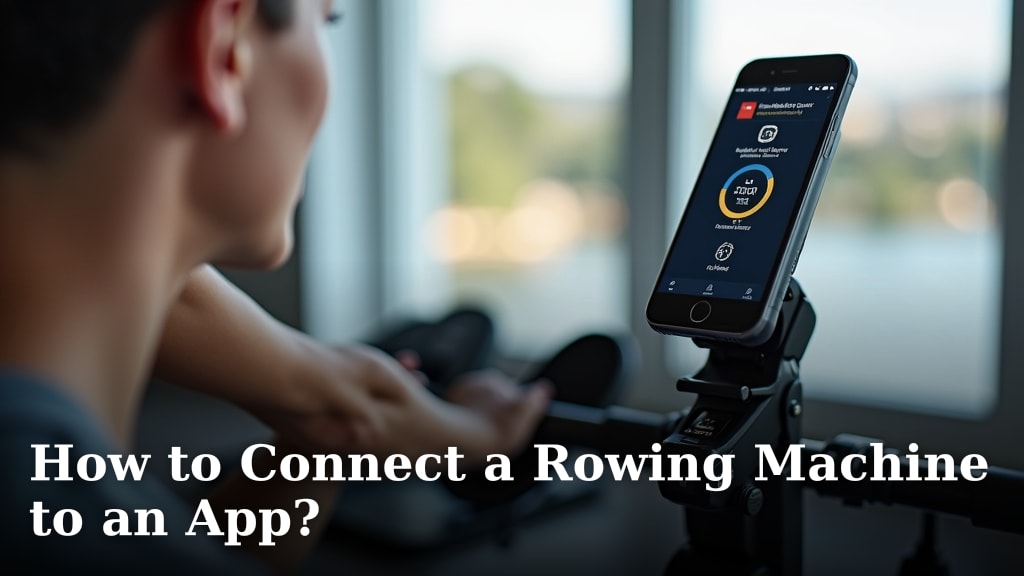
Connecting your rowing machine to an app is easier than you might think. You’ll likely need a Bluetooth-enabled rower or a compatible sensor to get started. This connection lets you track workouts, compete with others, and access training programs, making your rowing sessions much more engaging.
Many modern rowers come with built-in app connectivity. For older models, a simple add-on sensor can often bridge the gap. We found that linking up can really boost motivation by showing you progress over time and adding a fun competitive element to your fitness routine.
- Check rower compatibility first.
- Look for Bluetooth or ANT+ signals.
- Download the right app.
- Follow simple pairing steps.
- Enjoy your connected workouts!
Let’s walk through the typical steps to get your rowing machine talking to your favorite fitness app. It’s usually a straightforward process, and we’re here to guide you.
Getting Your Rowing Machine Synced with Fitness Apps
Connecting your rowing machine to an app can transform your workouts. You’ll gain access to detailed performance metrics, engaging training programs, and even virtual races. This digital bridge makes rowing more fun and effective. Many users find that tracking their progress digitally keeps them motivated longer. It’s like having a personal coach and a cheering squad built right into your machine.
Understanding the Connection: Bluetooth and ANT+
The magic behind connecting your rower to an app relies on wireless communication. Most modern rowing machines use Bluetooth Low Energy (BLE). This is a common standard for fitness devices. It’s energy-efficient and widely supported by smartphones and tablets. Some higher-end or dedicated fitness equipment might also use ANT+. This is another wireless protocol, often found in GPS devices and advanced sensors.
Think of Bluetooth like a short-range radio signal. Your rower broadcasts its data, and your phone or tablet listens. ANT+ works similarly but is often used for direct connections between sensors and a receiver, like a bike computer. For app connectivity, Bluetooth is what you’ll encounter most often. It’s usually the easiest way to get started.
Is Your Rowing Machine Ready for Connection?
The first step is to check if your rower is designed for app connectivity. Built-in Bluetooth is the most common feature. You’ll usually find this information in your rower’s manual or on the manufacturer’s website. Look for terms like “app compatible,” “Bluetooth enabled,” or “smart rower.”
Checking Your Rower’s Manual
Your rower’s manual is your best friend here. It will clearly state whether your machine has wireless capabilities. It should also guide you on how to activate Bluetooth or ANT+ on the machine itself. Sometimes, you need to press a specific button or navigate a menu on the console. Don’t toss that manual just yet!
Looking for Manufacturer Information Online
If you’ve misplaced your manual, no worries! A quick search for your rower’s model number on the manufacturer’s website will bring up product details. Look for specifications related to connectivity. You can also find support sections or FAQs that address app pairing.
What If Your Rower Isn’t Built-in Smart?
Don’t despair if your rowing machine is an older model without built-in Bluetooth. You can often add this capability with a separate sensor. These sensors are usually small devices that attach to your rower’s moving parts. They measure your stroke rate and distance. Then, they transmit this data via Bluetooth to your phone.
Brands like Wahoo, Cadence, and Styrd offer universal speed and cadence sensors. These can often be adapted to work with rowing machines. Research sensors that are compatible with fitness apps you plan to use. The main goal is to get that data flowing from your machine to your device.
Choosing the Right Fitness App
Once you know your rower can connect, you need an app to talk to it. The app selection depends on your goals. Many rowing machine manufacturers have their own apps. These often provide a tailored experience for their equipment.
Manufacturer-Specific Apps
If you own a rower from brands like Concept2, WaterRower, or NordicTrack, check their official apps. Concept2’s ErgData app is very popular among its users. It syncs directly with the PM5 monitor and uploads workouts to platforms like their own Performance Monitor logbook or Strava. These apps are designed to work perfectly with your specific rower model.
Third-Party Fitness Tracking Apps
There are also many third-party apps that support rowing data. These often offer a broader range of features, like social challenges, diverse workout plans, and integration with other fitness devices. Popular options include:
- Zwift: While primarily known for cycling and running, Zwift has a rowing component. You can race against others in virtual environments.
- Kinomap: This app offers a vast library of real-world rowing routes. You can ride along as if you were actually there.
- TrainerRoad: This app focuses on structured indoor training plans, and while more cycling-centric, it can sometimes accommodate rowing data.
- Strava: A very popular platform for tracking all sorts of activities. You can upload your rowing workouts to Strava to track progress and share with friends.
When choosing, consider what you want most: detailed analytics, virtual racing, scenic routes, or simple workout logging. We found that using an app that integrates with other fitness platforms you use is very convenient.
The Pairing Process: Step-by-Step
Connecting your rower to an app is usually quite simple. It’s similar to pairing headphones or a speaker to your phone. Here’s a general guide:
Step 1: Enable Bluetooth on Your Device
First, ensure Bluetooth is turned on in your smartphone or tablet’s settings. Go to your device’s settings menu and toggle Bluetooth to the ‘on’ position. Your device will then start searching for nearby devices.
Step 2: Make Your Rower Discoverable
Next, you need to put your rowing machine’s console or sensor into pairing mode. Consult your rower’s manual for the exact steps. Often, this involves pressing and holding a specific button or navigating a menu on the console. Look for a flashing Bluetooth icon, which usually indicates it’s ready to connect.
Step 3: Open the Fitness App and Scan
Launch the fitness app you’ve chosen on your smartphone or tablet. Most apps will have a section for connecting devices or sensors. This might be labeled as “Add Device,” “Connect Equipment,” or similar. Tap this option, and the app will begin scanning for available Bluetooth devices.
Step 4: Select Your Rower from the List
Your rowing machine should appear in the list of available devices within the app. It might be listed by its model name or a generic identifier. Select your rower from the list. You may need to confirm the pairing on both your device and potentially on the rower’s console.
Step 5: Confirm the Connection
Once selected, the app and your rower will attempt to establish a connection. You might see a confirmation message on both screens. A solid Bluetooth icon on your rower’s console usually signifies a successful connection. The app should then show your rower as connected and ready to receive data.
Troubleshooting Common Connection Issues
Sometimes, things don’t connect on the first try. Here are a few things to check if you’re having trouble:
- Distance: Make sure your phone or tablet is close to the rowing machine. Bluetooth range is typically about 30 feet (10 meters).
- Other Devices: Ensure your rower isn’t already connected to another device. Many rowers can only connect to one device at a time. Disconnect from any other Bluetooth connections first.
- App Permissions: Check that the fitness app has the necessary permissions on your device, like Bluetooth access and location services (sometimes required for Bluetooth scanning).
- Restart Everything: A simple restart can often fix glitches. Turn off Bluetooth on your device, power cycle your rower, and then try pairing again.
- Update Software: Ensure both your device’s operating system and the fitness app are up to date. Outdated software can sometimes cause compatibility issues.
Many users find that checking these common issues resolves most connection problems. It’s often just a small hiccup in the process.
Maximizing Your Connected Rowing Experience
Once you’re successfully connected, a whole new world of rowing opens up. You can dive into structured training plans designed to improve your fitness. Many apps offer different levels, from beginner to advanced.
Tracking Your Performance Metrics
With a connected rower, you’ll get real-time data on your workout. This includes crucial metrics like:
- Distance: How far you’ve rowed.
- Stroke Rate (SPM): Strokes per minute, indicating your pace.
- Pace: Often measured in minutes per 500 meters, showing how quickly you’re covering distance.
- Power: Measured in watts, indicating the force you’re generating.
- Heart Rate: If you’re using a compatible heart rate monitor connected to your device or rower.
These metrics are vital for understanding your performance and identifying areas for improvement. We found that seeing your power output in watts is particularly eye-opening. It gives you a direct measure of your effort.
Engaging with Virtual Workouts and Races
Apps like Zwift and Kinomap turn your rowing session into an interactive experience. You can race against other users live from around the globe. You can also join virtual group rows or explore scenic routes on a digital map. This social and competitive aspect can be incredibly motivating. It makes those tough workouts feel more like a game.
Using Data for Progress and Goal Setting
Your connected rower and app become a powerful tool for tracking long-term progress. You can see how your pace, power, and endurance improve over weeks and months. Many apps allow you to set personal goals and track your achievements. Seeing your personal bests get broken can be incredibly rewarding. It provides tangible proof of your hard work and dedication.
Checklist: Quick Steps to Connect Your Rower
Here’s a quick rundown to make sure you don’t miss a step:
- Verify your rower’s Bluetooth capability or get a compatible sensor.
- Download and install your chosen fitness app on your smartphone or tablet.
- Enable Bluetooth on your device.
- Put your rower’s console or sensor into pairing mode.
- Open the app and scan for nearby devices.
- Select your rower from the list and confirm the pairing.
Following these steps should get you up and running quickly. Happy rowing!
Conclusion
You’ve learned how connecting your rowing machine to an app can transform your fitness routine. From basic Bluetooth pairing to choosing the right app, you’re now equipped to make your workouts more engaging. You can track your progress, join virtual races, and access training plans. We’ve seen that this connection makes staying motivated much easier. Your next step is to pick an app that suits your goals and start syncing your rower.
Frequently Asked Questions
Can I connect my older rowing machine to an app?
Yes, you often can. If your rowing machine doesn’t have built-in Bluetooth, you can usually add a separate speed and cadence sensor. These small devices measure your rowing data and transmit it to your phone via Bluetooth, making older rowers “smart.”
What’s the difference between Bluetooth and ANT+ for rowers?
Bluetooth Low Energy (BLE) is the most common for connecting to smartphones and tablets. ANT+ is another wireless protocol, often used for direct connections to fitness computers or sensors. For most app connections, Bluetooth is what you’ll need.
My rower won’t connect; what should I do?
First, ensure Bluetooth is on for both your device and rower. Check that your rower isn’t connected to another device, and make sure your phone or tablet is close. Sometimes, simply restarting your device and rower can fix the issue.
Do I need a specific app for my rower brand?
Not always. While manufacturers often have their own apps that work best with their machines, many third-party apps support rowing data. Consider apps like Zwift, Kinomap, or Strava for broader features and community interaction.
How do I know if my rowing machine is compatible?
Check your rower’s user manual or the manufacturer’s website for compatibility information. Look for terms like “app compatible,” “Bluetooth enabled,” or “smart rower.” If you can’t find it, a universal sensor might be your best option.
