
Why Won’t My Rowing Machine Bluetooth Connect?
Your rowing machine’s Bluetooth connection might not be working for several simple reasons. Often, it’s just a matter of outdated firmware, a low battery on your device, or an issue with the rowing machine’s console itself. Don’t worry, we can usually fix this quickly.
Many rowers experience this connectivity hiccup. It can be frustrating when you’re ready for a great workout and your tech won’t cooperate. We found that the most common culprits are surprisingly simple to address, often involving a quick reset or a check of your device’s settings. It’s less about a major fault and more about a minor glitch.
- Check your rowing machine’s console for a firmware update.
- Ensure your phone or tablet has a fully charged battery.
- Try restarting both devices (rowing machine and your phone/tablet).
- Confirm Bluetooth is enabled on your mobile device.
Let’s walk through the common reasons your rowing machine Bluetooth might be acting up and how to get it connected smoothly.
Troubleshooting Your Rowing Machine’s Bluetooth Connection Issues
So, your rowing machine’s Bluetooth isn’t connecting. Don’t let this technical hiccup derail your workout! We’ve all been there, ready to hit the water (virtually speaking) and the tech just won’t play along. It’s usually something simple, like a tiny glitch in the matrix. We’re here to help you sort it out.
Let’s start with the most common culprits. Often, a quick check and a simple fix are all you need. We’ll guide you through the process, step-by-step, so you can get back to rowing in no time. Think of this as your digital repair manual for a happy connection.
First Steps: The Quick Fixes
Before we dive deep, let’s try the easiest solutions first. Many connection problems vanish with these basic troubleshooting steps. They are quick, painless, and often incredibly effective. Think of them as the “turn it off and on again” of rowing machine tech.
Ensure Bluetooth is Actually On
It sounds obvious, right? But sometimes, Bluetooth can get accidentally switched off on your phone or tablet. Go into your device’s settings and make sure the Bluetooth toggle is firmly in the “on” position. We found that a surprising number of connection issues stem from this simple oversight.
Give Your Devices a Fresh Start
A good old reboot can work wonders for stubborn technology. Power down your rowing machine’s console completely. Then, restart your smartphone or tablet. Once both devices are back online, try to establish the Bluetooth connection again. This often clears temporary software glitches.
Check Your Mobile Device’s Battery
Low battery levels can sometimes cause unexpected behavior in electronic devices, including Bluetooth connectivity. Ensure your phone or tablet has a healthy charge. A battery percentage below 20% might not be enough power for stable Bluetooth communication. We found that keeping your device adequately charged prevents many connection woes.
Exploring Deeper: Potential Glitches
If the quick fixes didn’t do the trick, it’s time to look a bit closer. There might be something else preventing your rowing machine and your device from finding each other. Let’s explore these possibilities.
Is Your Rowing Machine’s Firmware Up-to-Date?
Many modern rowing machines have firmware that can be updated. Outdated firmware can lead to compatibility issues with newer phone operating systems or apps. Check your rowing machine’s manual or the manufacturer’s website for instructions on how to check for and install firmware updates. This is a critical step for maintaining smooth performance.
We found that manufacturers often release updates to fix bugs and improve connectivity. It’s like giving your rowing machine’s brain a software upgrade. This is a common fix for many users.
Forget and Re-Pair the Device
Sometimes, the Bluetooth connection gets “stuck” with old pairing information. You can tell your phone or tablet to forget the rowing machine. Then, you can try pairing them again from scratch. Here’s how you usually do it on your mobile device:
- Go to your device’s Bluetooth settings.
- Find your rowing machine in the list of paired devices.
- Tap on it, and select “Forget Device” or “Unpair.”
- Turn your rowing machine’s Bluetooth off and on again.
- On your mobile device, scan for new devices and select your rowing machine.
This process essentially resets the communication handshake between your devices. It’s like meeting someone for the first time again, ensuring a clean slate.
Check Your Rowing Machine’s Console Status
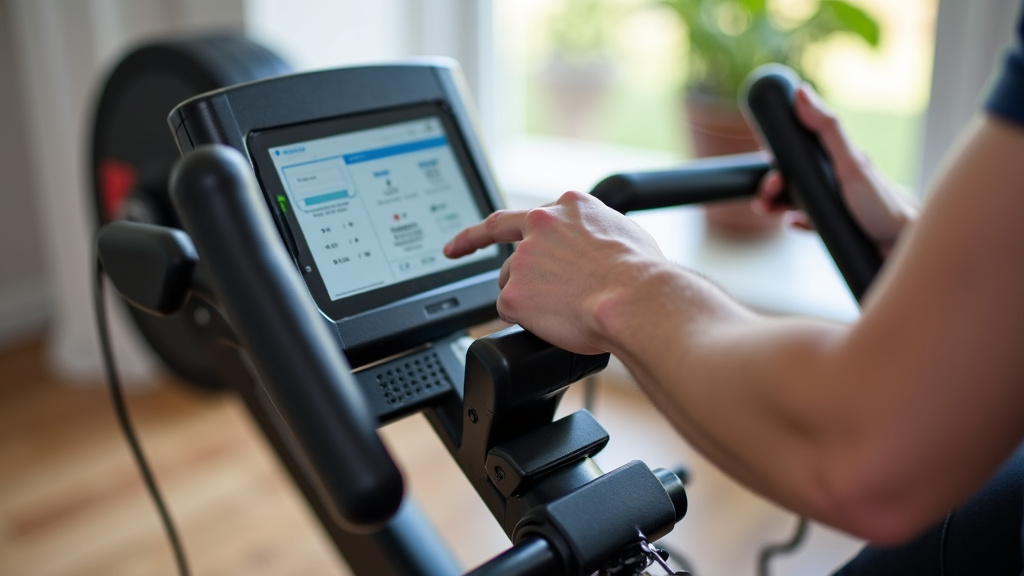
Is the Bluetooth module on your rowing machine actually working? Some consoles have a small indicator light or a message on the screen showing Bluetooth status. If there’s an error message or no indication of Bluetooth activity, there might be a hardware issue with the console itself. In this case, you might need to contact customer support.
App and Device Compatibility Checks
Your rowing machine doesn’t just talk to Bluetooth; it often needs a specific app to work correctly. Let’s make sure that part of the puzzle is in place.
Is the Correct App Installed?
Most rowing machines require a specific companion app to connect via Bluetooth. Double-check that you have downloaded the official app recommended by your rowing machine’s manufacturer. Using a generic or incorrect app won’t work. We found that users sometimes download similar-sounding apps by mistake.
Is the App Up-to-Date?
Just like your rowing machine’s firmware, the app itself needs to be current. Open your device’s app store (Apple App Store or Google Play Store) and search for your rowing machine’s app. See if there’s an update available. Keeping the app updated ensures it can communicate properly with the latest Bluetooth protocols and your rowing machine’s system.
Permissions for the App
Mobile operating systems require apps to have specific permissions to function correctly, especially for Bluetooth. When you first install the app, it usually asks for permission to access Bluetooth. If you accidentally denied this permission, the app won’t be able to scan for or connect to devices. Go into your phone’s app settings and ensure Bluetooth permissions are enabled for the rowing app.
When to Seek Further Assistance
If you’ve gone through all these steps and still can’t get connected, it might be time for a different approach. Don’t get discouraged; you’ve already done a lot of great troubleshooting.
Consult Your Rowing Machine’s Manual
Your rowing machine’s user manual is a goldmine of specific information. It often has a dedicated troubleshooting section for Bluetooth connectivity issues. Look for any model-specific advice or common problems unique to your machine. Some manuals even have diagrams to help you locate Bluetooth settings on the console.
Contact Manufacturer Support
If all else fails, it’s time to call in the cavalry. Reach out to the customer support team for your rowing machine’s brand. They can provide model-specific guidance and may be aware of known issues. They can also help determine if there’s a defect with your unit. We found that most manufacturers are eager to help get their products working as intended.
Here’s a quick checklist to run through:
- Check Bluetooth is ON on your phone/tablet.
- Restart both your rowing machine and mobile device.
- Ensure your mobile device has a good battery level.
- Confirm you’re using the correct companion app.
- Check for app and firmware updates.
- Try the “Forget Device” and re-pair process.
Conclusion
Getting your rowing machine’s Bluetooth connected doesn’t have to be a workout in itself! We’ve walked through the most common reasons for connectivity issues, from simple settings checks to firmware updates and app compatibility. You’ve learned that often, a quick restart or ensuring your devices are up-to-date can solve the problem.
Remember to systematically try each step, starting with the easiest. If you’ve tried everything and are still stuck, don’t hesitate to consult your manual or reach out to the manufacturer for support. Now, go ahead and get that connection sorted so you can enjoy your connected rowing experience!
Frequently Asked Questions
What if my rowing machine doesn’t show up in my phone’s Bluetooth list?
This usually means your rowing machine’s Bluetooth isn’t actively broadcasting a signal. Double-check that Bluetooth is enabled on the rowing machine’s console itself. You might also need to put your rowing machine into “pairing mode,” which is often described in your user manual.
My rowing machine connected once, but now it won’t reconnect. What should I do?
This often happens when old pairing data gets corrupted. Try using the “Forget Device” or “Unpair” option on your phone or tablet for your rowing machine. Then, attempt to pair them again from scratch.
Can interference from other devices affect my rowing machine’s Bluetooth connection?
Yes, interference can sometimes be an issue. Other wireless devices, like microwaves or Wi-Fi routers, can occasionally disrupt Bluetooth signals. Try moving your rowing machine or mobile device away from potential sources of interference if possible.
Do I need a specific app for my rowing machine to connect via Bluetooth?
Almost always, yes. Your rowing machine likely requires a manufacturer-specific companion app to establish and maintain a Bluetooth connection. Ensure you have downloaded the correct app from your device’s official app store.
My phone says “Connection Failed” when trying to pair with the rowing machine. What does this mean?
“Connection Failed” typically indicates that the pairing process was interrupted or unsuccessful. This could be due to a temporary software glitch on either device, low battery, or the devices being too far apart during the pairing attempt.
